

Silent Kinomap route preview: the view moves across orange sandstone toward a natural stone arch. Virtual workout metrics remain at the top of the screen.
A trail worth exploring
Trade the familiar view for an open landscape.

Run, ride and row through real-world routes. Bring a little more adventure to every workout with XTERRA and Kinomap.
30 days to explore. Available with an XTERRA equipment purchase.
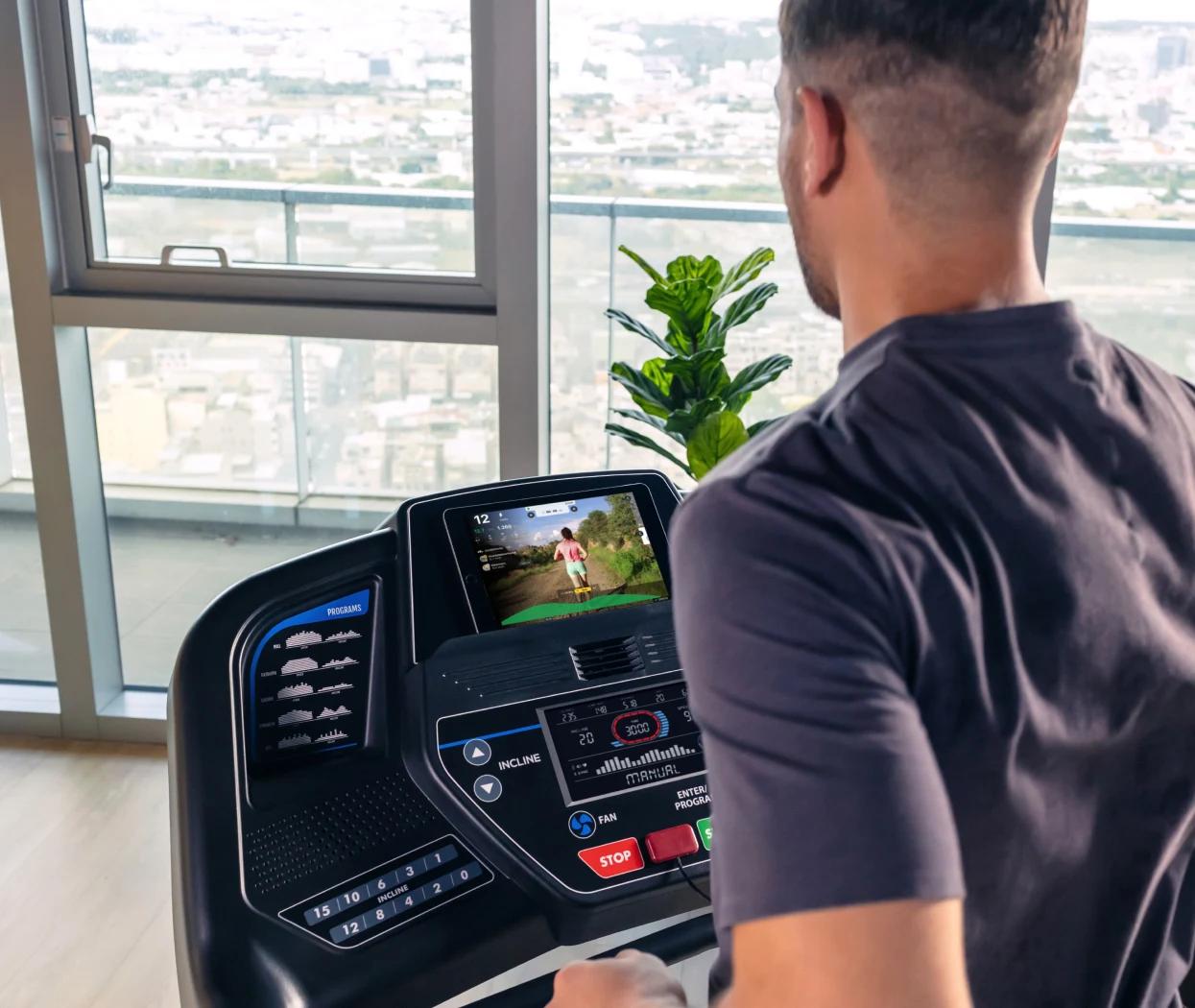
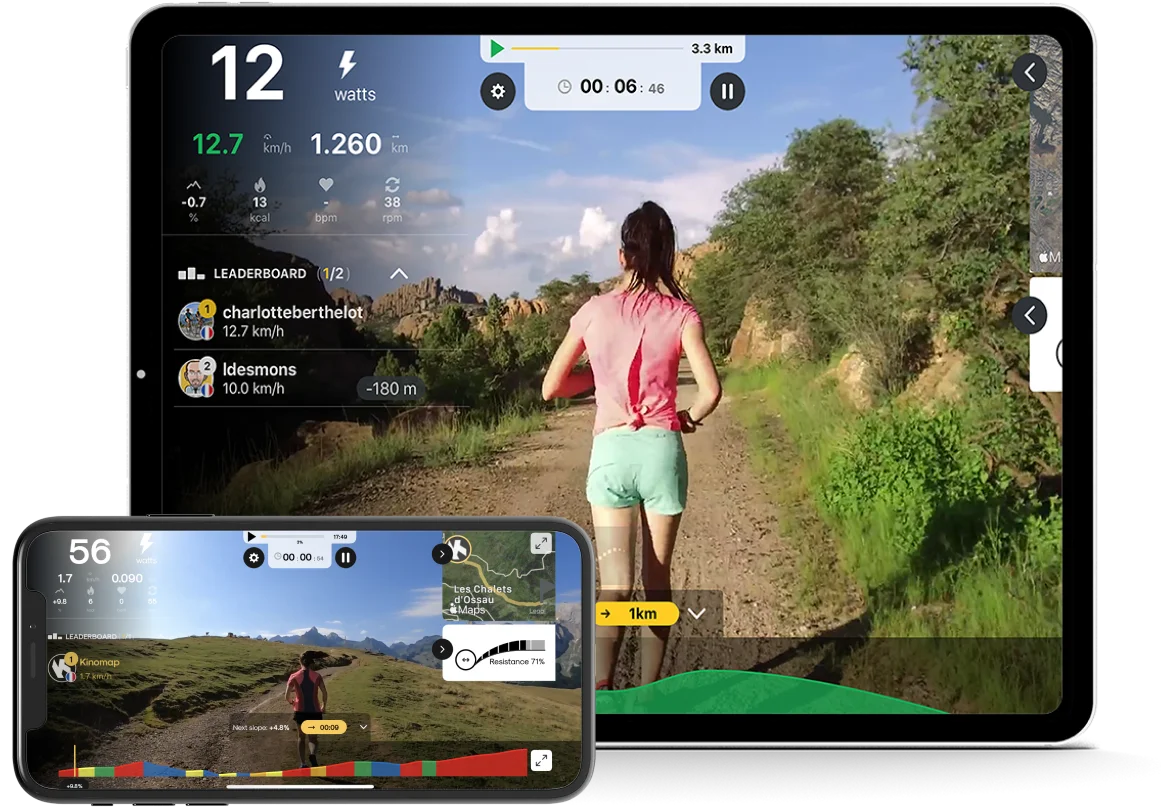
Pick a scenic route, put your phone or tablet in position, and make your next session feel like a change of scenery.
Explore location-based training videos for running, cycling and rowing.
Choose Classic, Smart or Interactive to match your equipment.
You stay in control of your treadmill speed throughout your workout.
Silent Kinomap route preview: the view moves across orange sandstone toward a natural stone arch. Virtual workout metrics remain at the top of the screen.
Trade the familiar view for an open landscape.
Silent Kinomap rowing route preview: the view follows a person paddling on calm water at sunset, with virtual workout metrics at the top of the screen.
Let the route bring something new to your routine.
Silent Kinomap route preview: the view moves along a sandy path lined with palm trees in bright daylight, with virtual workout metrics at the top of the screen.
Find a new place to move, right from home.
Equipment without Bluetooth
Connect a compatible external speed, cadence or stride sensor. Kinomap also offers an optical sensor using your phone or tablet camera.
Machine settings are adjusted manually.
Find compatible sensorsBuilt-in Bluetooth data connection
Your machine sends workout data to Kinomap. Follow the route on your screen and adjust incline or resistance from your console.
Connected data. Manual adjustments.
WS200 · SB240 · ERG180 · ERG550W · ERG800W
Supported Bluetooth FTMS equipment
Compatible machines can follow a route’s incline or resistance automatically. Available adjustments depend on the model and console.
Automatic incline or resistance, where supported.
TRX5500 · TRX4500 · TRX3500 · TRX1400 · WS300 · TR260 · TR85 · TR75 · TR65 · SB600
Bought an XTERRA treadmill, bike, elliptical, rower or stepper? Claim the current 30-day Kinomap trial through XTERRA.
Claim your 30-day trialHave your retailer, purchase date and serial number ready, along with your contact details.
Use the Kinomap website or app, then follow the activation instructions supplied with your trial code.
Account setup guideAdd your equipment in Kinomap and choose a connection suited to your model. Find a route and make it your own.
Pairing helpTell us about your XTERRA equipment and purchase. Your application will be reviewed before a trial code is issued.
Your trial application has been saved for review. A trial code has not been issued yet. Please contact XTERRA if you need help with your application.
Contact XTERRAStart with the model lists above, then check your exact equipment and console in Kinomap’s compatibility checker. Connection type and automatic adjustments can vary by model.
Yes. Classic connections use compatible external sensors. Kinomap also has an optical sensor mode that estimates movement using your phone or tablet camera. Explore the connection options.
No. You choose and adjust treadmill speed. Supported Interactive equipment may change incline or resistance to follow a route. Read Kinomap’s speed guidance.
XTERRA’s code-based promotion does not require a card to activate the trial, so it does not automatically charge you when the trial ends. Check the activation instructions for your code and contact Kinomap Support for account or billing questions.
Create an account on the Kinomap website or in the app. Follow the instructions included with your trial code to activate your access. Open the account setup guide.
Compatible sensors can be added alongside your equipment. Check the sensor’s compatibility and follow the instructions in Kinomap’s pairing guides.
Use a compatible phone or tablet with a reliable internet connection for route videos. Device requirements change with app updates, so check the current requirements on Kinomap’s website before downloading.
Kinomap is a separate app with its own account and subscription. For XTERRA’s classes and membership, visit the XF Connect App page.